Brands and brand kits
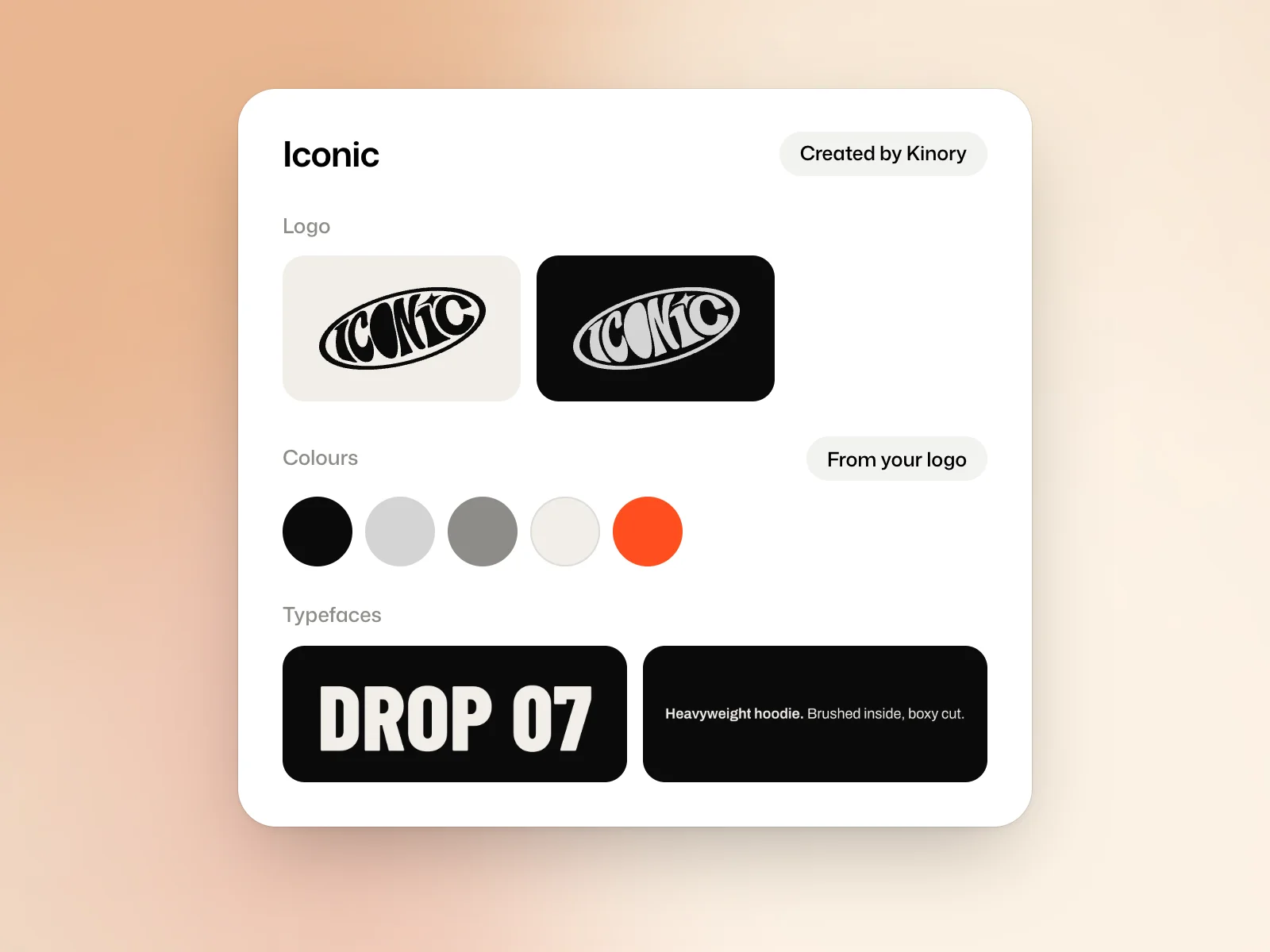
The Brands page shows two things. Your brands lists the brands Kinory created for you. Brand kits lists the kits your films and designs follow, whether you filled them yourself or they came from a brand Kinory created.
Create a kit
On the Brands page, New brand kit asks for the brand’s name, then opens the kit. If you have no kit yet, the link reads Add a brand kit by hand. Create from your website fills the kit from your website’s address.
Kit contents
- Logo, as you use it, in SVG or PNG.
- Colours, the main one first. From your logo reads them from your logo.
- Typefaces, for headlines and for text, with your own font files if you have them.
- Pictures and documents, for your screenshots, your photos or your brand book.
- Website and In your words, where you describe the brand and how it speaks.
Import from your website
From a website opens Import from a website, which lists your site’s pictures and fonts. For a font that is not on Google Fonts, Kinory asks you to confirm that your licence covers its use in films.
Ask Kinory
Ask Kinory completes or changes the kit at your request, for example Write how the brand speaks, Suggest typefaces that fit or Name each colour. Undo reverses what it just did.
Apply a kit to a project
Under your request, the Brand setting chooses the kit to follow, and the studio remembers the last one you used. If the kit does not seem to match the request, Kinory asks before it starts, and you answer with Go ahead with… or Change the kit.
Open the first result and check the logo variant, headline type and main colours against the kit. If the example you want has a different palette, say explicitly which reference should take priority.
Number of kits
The number of kits depends on the plan of the person who creates them: 1 on Free, 3 on Creator, 10 on Pro, no limit on Studio. A kit that comes from a brand Kinory created, tagged Created by Kinory, does not count. If you move to a lower plan, the kits you already have stay.
Try it yourself
Add one logo and a palette to a kit. Select the kit when drafting a project. Check the preview against the kit, including which logo appears and how the colours are used.
 Read nextMake a graphic designBrief a poster, post or carousel and adapt the layout to other formats.