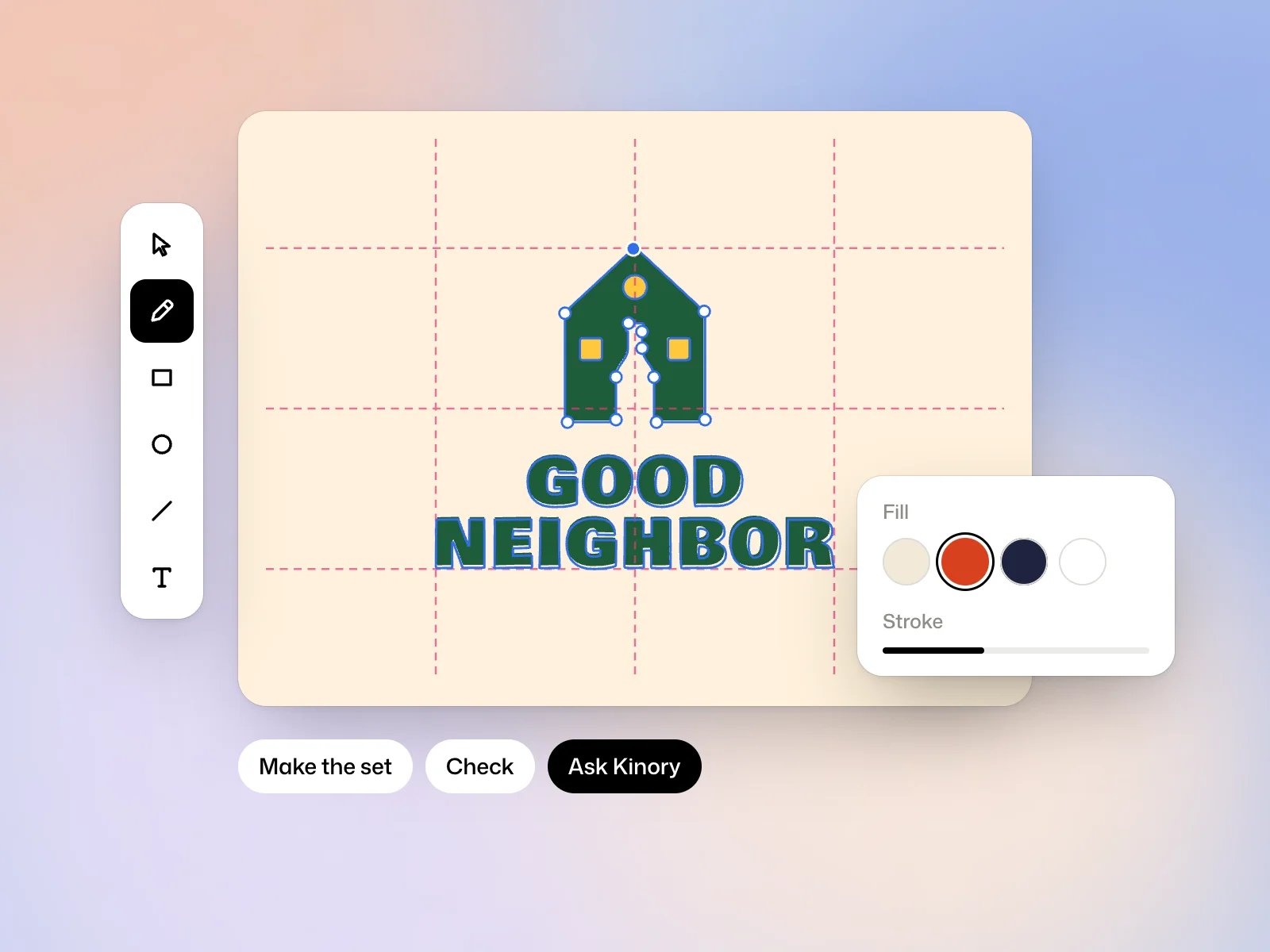
Open a logo
Edit the logo, on a logo’s page, or Edit, on a proposal or a file of a brand’s kit, opens the editor. The logos of a brand kit you filled by hand do not open in it directly. Create a logo with Start from scratch, then paste its SVG or use Import an SVG…
Edit vector paths
- Select (V) moves and transforms, and Edit points (A) works on anchor points and their handles.
- Pen (P) draws point by point. Easy curve runs a smooth curve through the points you place.
- Rectangle (R), Ellipse (O), Line (L) and Polygon (G) draw the basic shapes.
- Letters (T) sets the name in one of the brand’s typefaces or one from Google Fonts.
- Holding the space bar gives the hand, to move the view.
The panels
- Fill and Stroke set the colour, the gradient and the outline. Outline the stroke turns a stroke into a shape.
- Combine unites, subtracts, intersects or excludes shapes.
- Path offsets a path, rounds its corners, simplifies it, smooths it, mirrors it or repeats it around a centre.
- Letters spaces letters by eye with By eye, or as the font says with From the font.
- Guides and grid places guides, a grid and golden sections. Arrange aligns, groups and centres by mass.
Make the set of versions
Give each element its role, Mark, Name or Line. The The set panel then composes the versions from the same drawing: horizontal, stacked, mark alone and name alone, in colour, in one colour or reversed. Make the set creates them, and they join the logo or the kit when you save.
Check the drawing
The Check panel shows the logo at 16, 32 and 64 pixels and measures its drawing, for example its number of anchor points against that of existing brand marks.
Ask Kinory in the editor
Ask Kinory opens a conversation over the artboard. Kinory works on your drawing: it draws, reshapes, sets letters, aligns, turns a picture you give it into vectors and checks the result. When layers are selected, its answer applies to them.
Each exchange is billed in credits, and the amount shows under the answer. Undo these changes reverses everything one exchange changed, in one step.
Save and download
⌘S saves your work as a new version, without erasing the earlier ones. For a brand’s logo, the pictures, the PDFs and the kit’s zip are made again from your changes. The editor also downloads the drawing as SVG and as PNG, 1024 px.
Try it yourself
Move one anchor point to smooth a curve, then zoom out until the mark is the size of a small icon. Compare the two versions before choosing which one to export.