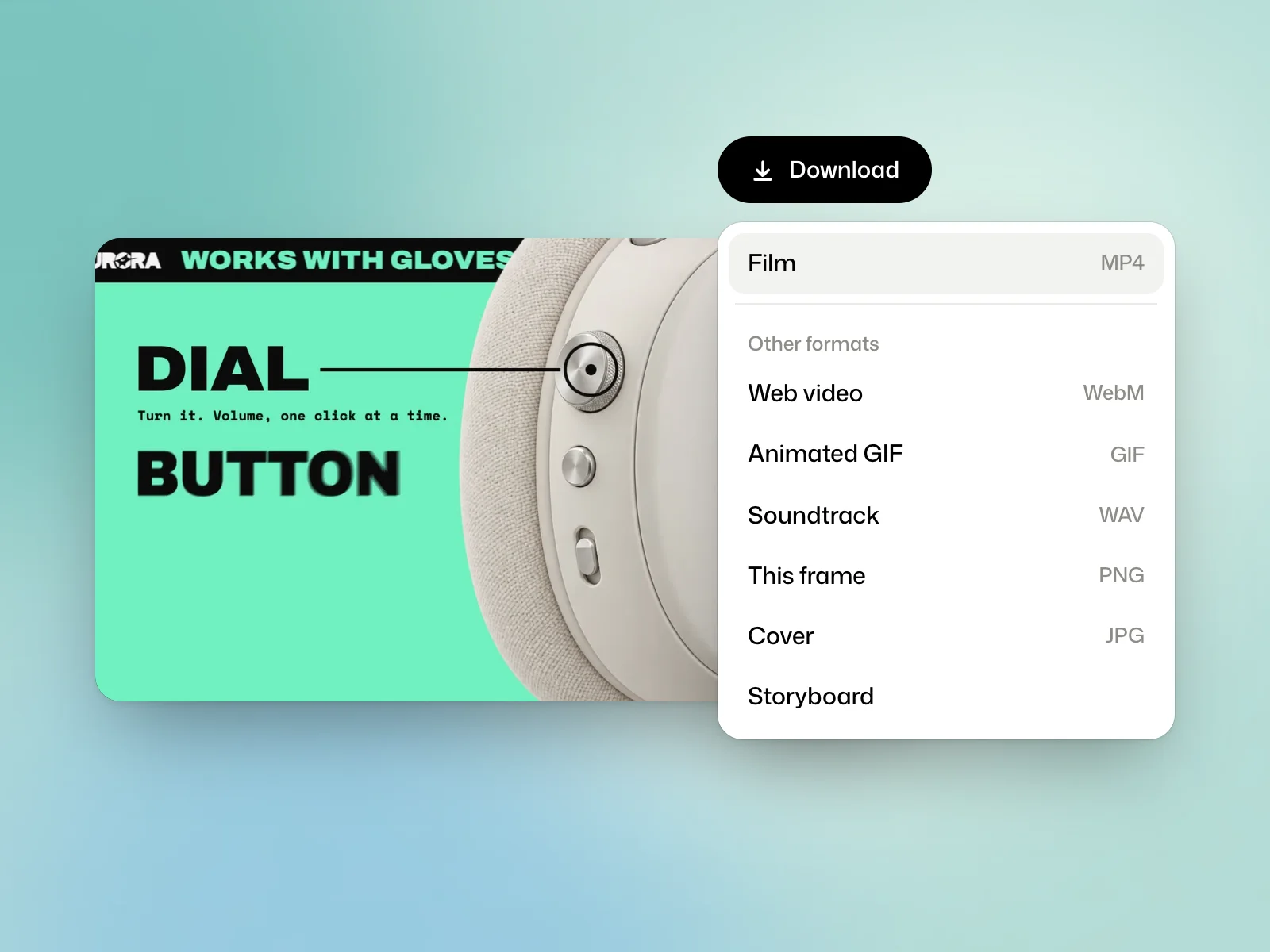
Choose a download format
Download, in the film’s header, first gives Film, the MP4 in H.264 at the film’s size. Other formats adds:
- Web video, as WebM, and Animated GIF.
- Soundtrack, the sound as WAV, when the film has sound.
- This frame, the frame on screen as PNG, and Cover, the cover as JPG.
- Storyboard, a sheet of the film’s frames.
Each version of a film downloads separately.
Share a storyboard for review
The Storyboard page lays the film out frame by frame, at even intervals. Print prints it on A4 landscape or saves it as a PDF, for instance to get it approved before it goes out.
On the Free plan
A film made on the Free plan ends with two seconds carrying Kinory’s name, added after its last frame. Nothing is laid over the film itself. These films are for non-commercial use. Paid plans deliver the film without that ending.
Retention
On a paid plan, your films are kept for as long as the plan runs. On the Free plan, a film is kept 30 days, and its header gives the date with Kept until… An email warns you before anything is deleted. Moving to a paid plan keeps your films.
Rename, delete, share
The film’s actions offer Rename, Delete, which also deletes its versions and files, and Share…, covered in the lesson on share links.
Try it yourself
Export the approved version as an MP4 and play the downloaded file. Check the image format, sound and end card before sending it.